




NewTrend · RS485 energy-meter communications
Product overview
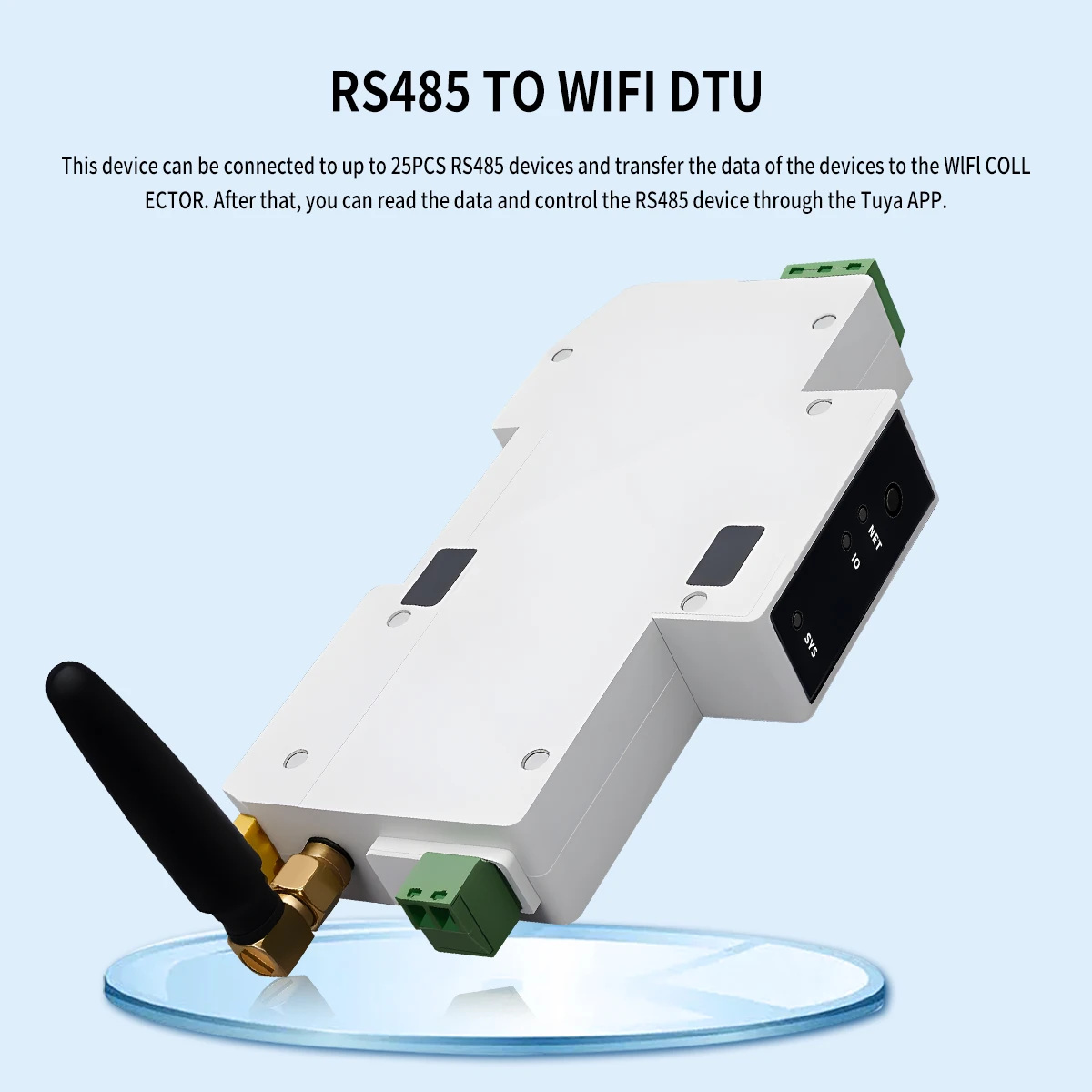
The CB11-W connects up to 25 compatible RS485 energy meters to a 2.4GHz WiFi network for Tuya Smart or Smart Life access. It reads meter data and supports remote control where the connected meter provides the required relay function. The meters supply the electrical measurements; the collector brings their readings and supported controls into the app.
Technical selection summary
| Model | CB11-W |
|---|---|
| Product type | DIN-rail RS485-to-WiFi energy-meter collection terminal |
| Power supply | 100–240V AC |
| Wireless network | 2.4GHz WiFi |
| App | Tuya Smart / Smart Life |
| Meter capacity | Up to 25 compatible RS485 energy meters |
| Meter communications | RS485 interface; A/B bus terminals |
| Data | Voltage, current, power and energy values supported by the connected meter |
| Energy collection | Import active energy, export active energy and total active energy on compatible meters |
| Remote switching | Supported with compatible meters fitted with a controllable relay |
| Scheduling | Scheduled on/off; no countdown function |
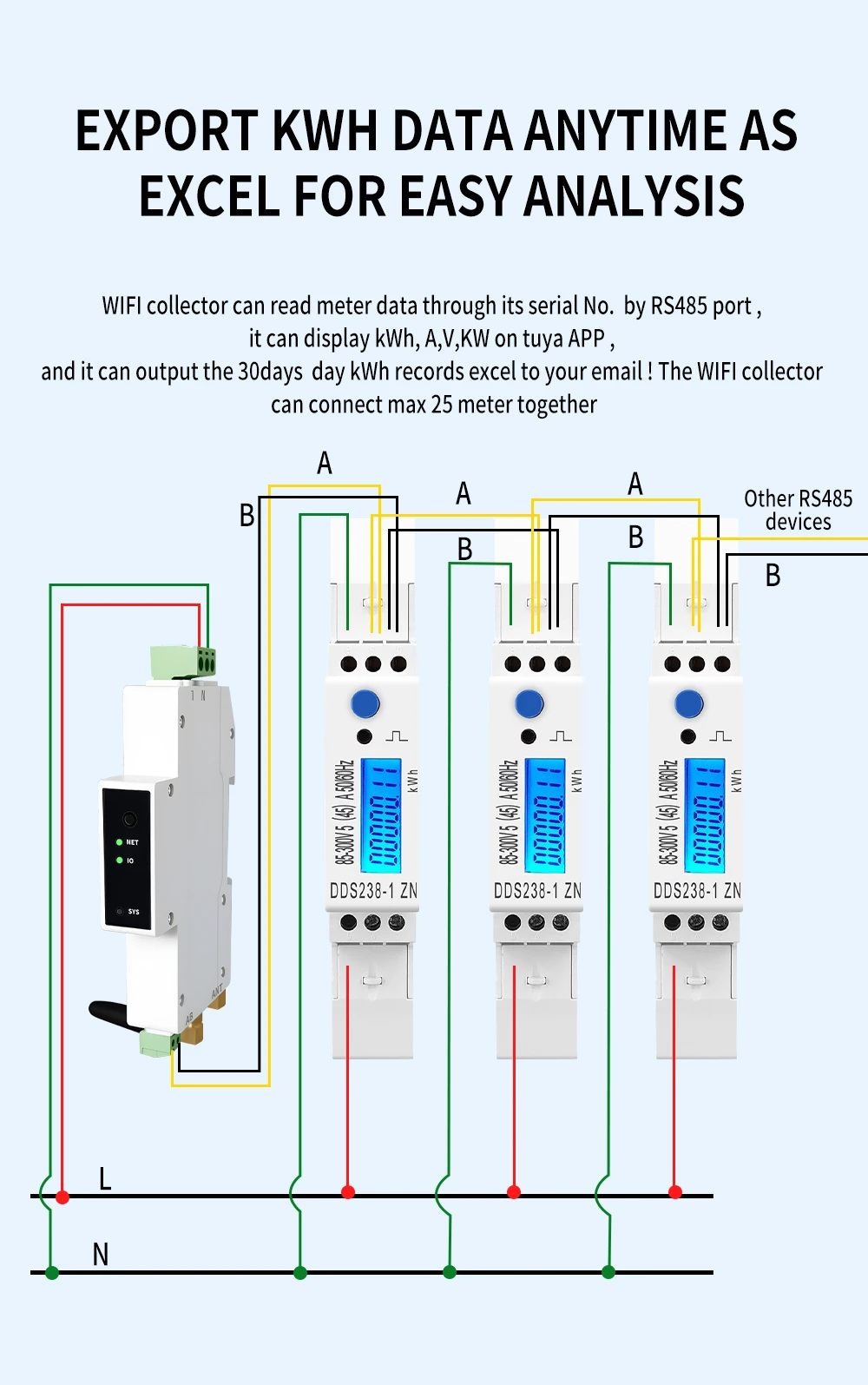
| Data export | Email export of energy records; illustrated 30-day daily-record export |
| Operating temperature | −10°C to +60°C |
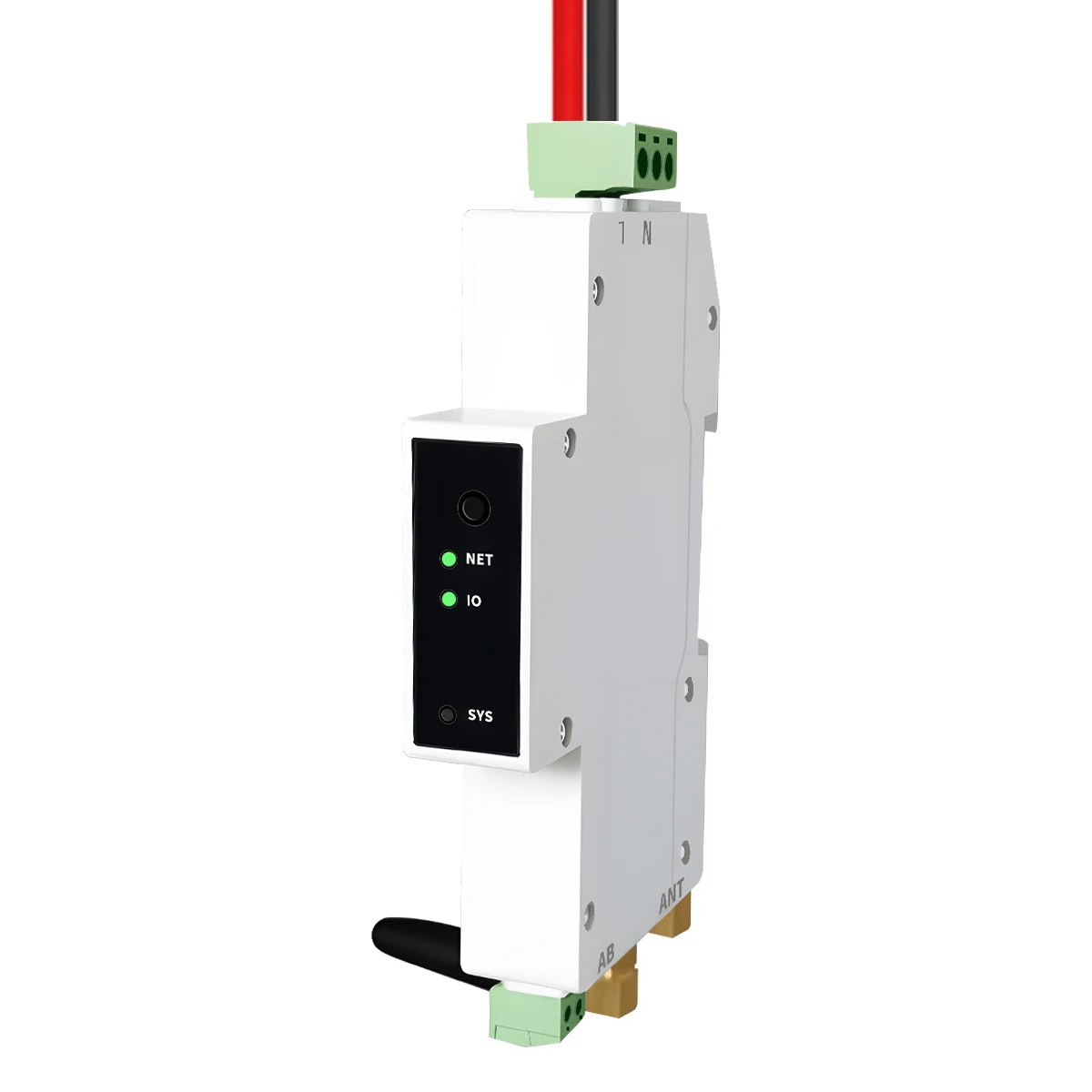
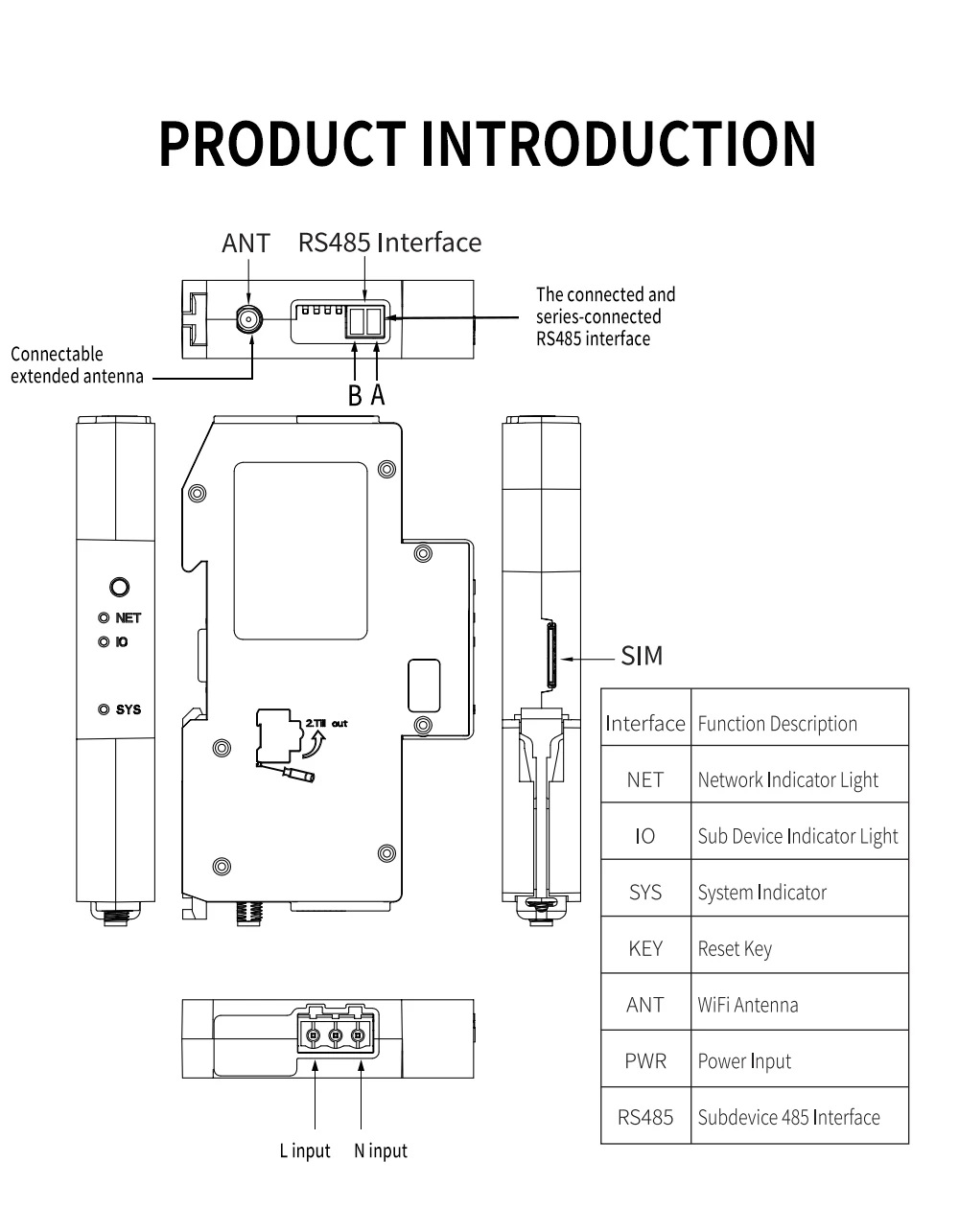
| Indicators | NET, IO and SYS |
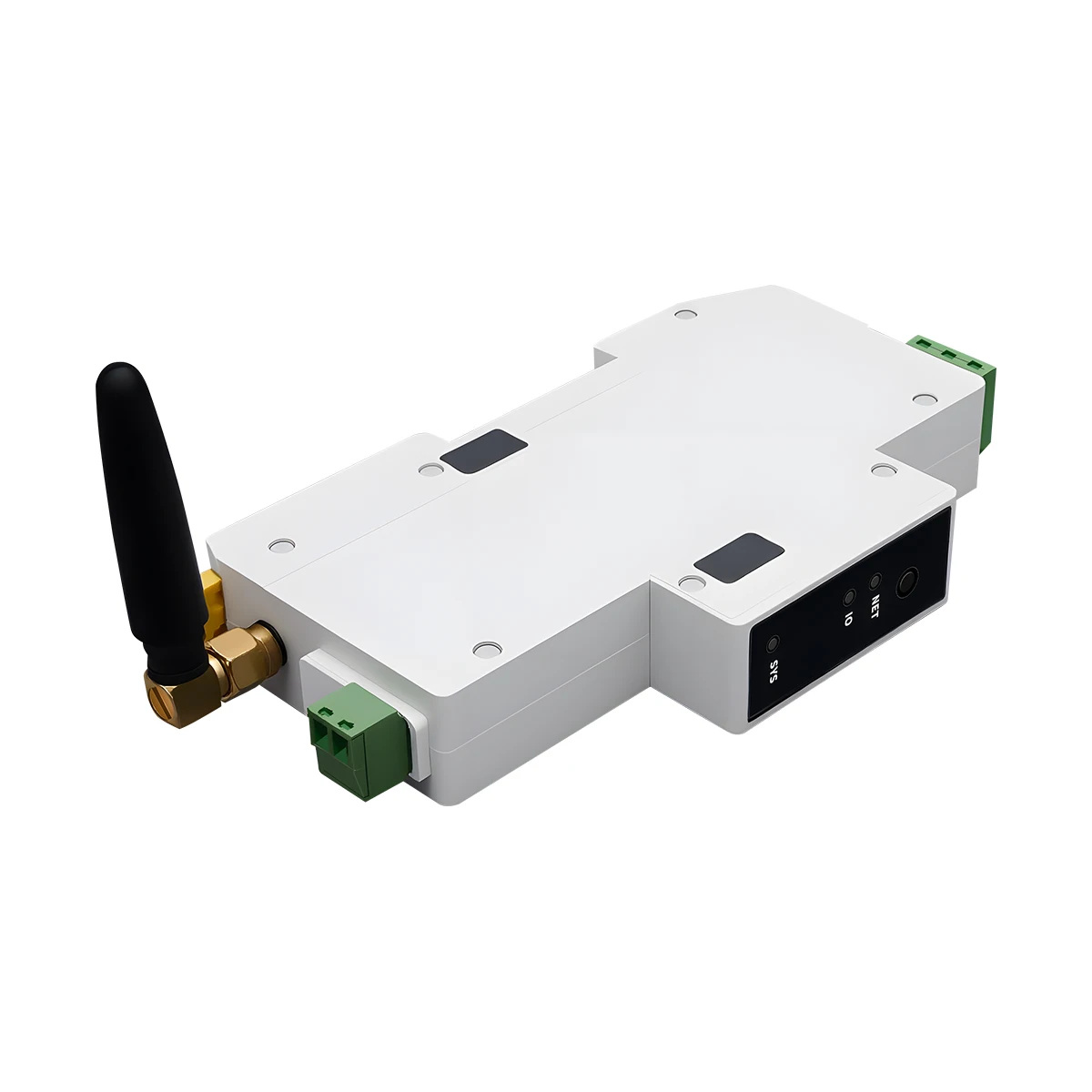
| Antenna | External WiFi antenna connection |
| Reset key | Hold 5s: unbind; hold 10s: unbind and clear device |
Interfaces and wiring
Connect the specified AC supply to L and N. Connect the RS485 A and B terminals consistently to the corresponding terminals on compatible meters, following the illustrated bus arrangement. The ANT connector accepts the WiFi antenna. NET, IO and SYS indicators and the reset key provide local status and setup functions.
Smart Life connection and adding meters
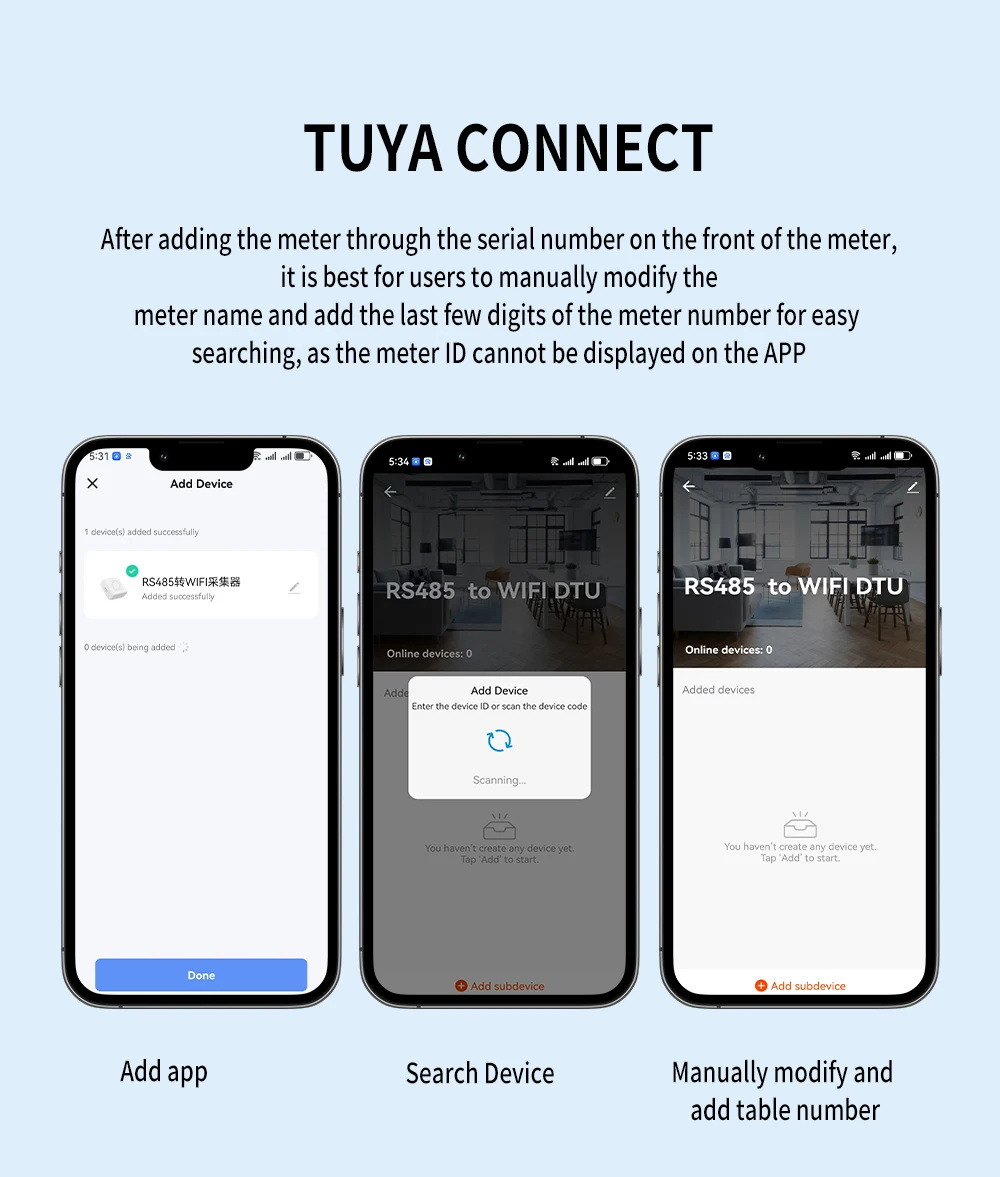
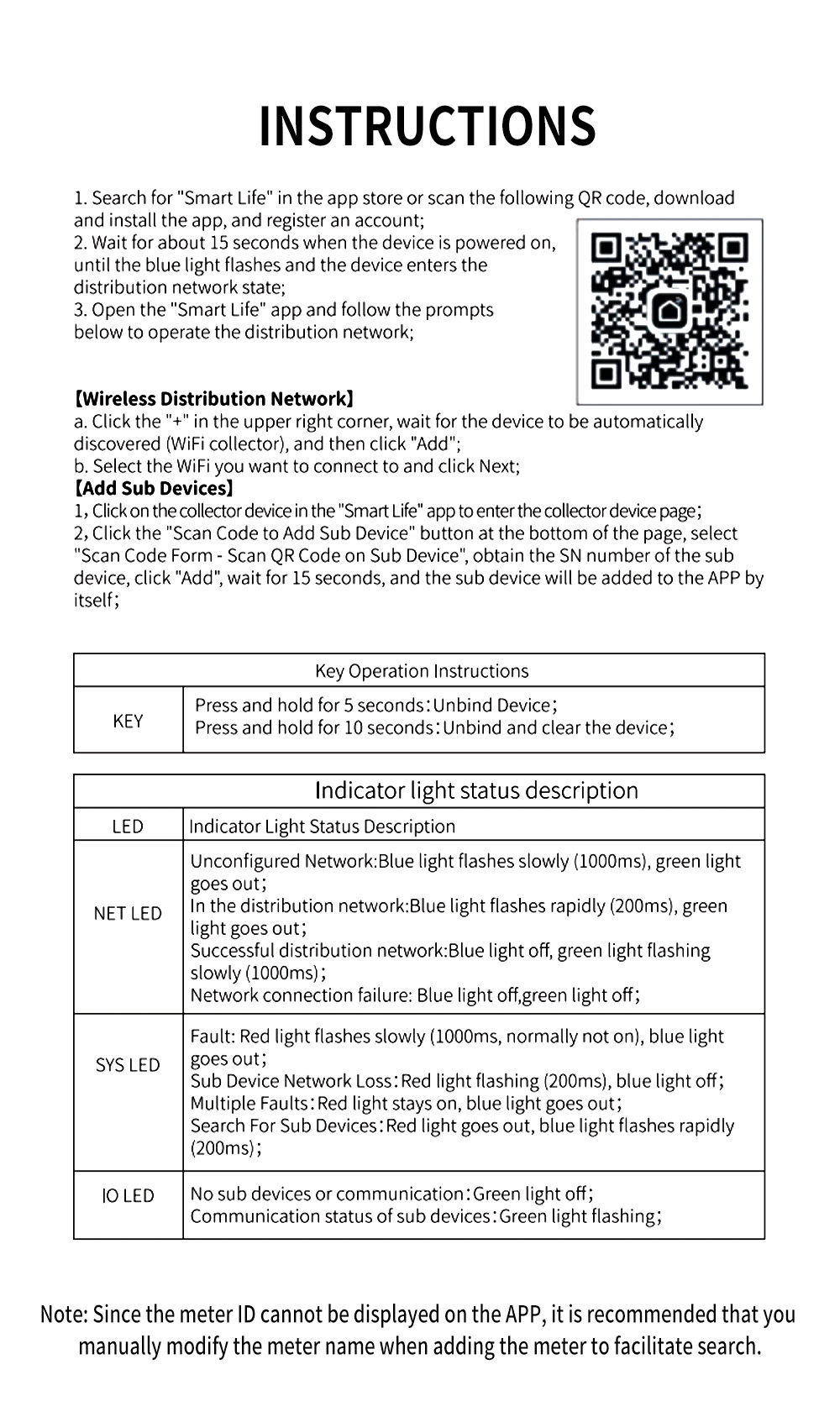
Install Smart Life and register or sign in to an account. After power-on, allow approximately 15 seconds for the blue indicator to flash and the collector to enter network configuration. In the app, tap +, add the discovered WiFi collector, select the 2.4GHz WiFi network and follow the prompts.
Open the collector page and select Scan Code to Add Sub Device. Scan the QR code on a compatible meter or enter its serial number, then add the device and allow approximately 15 seconds. Rename each added meter and include the last digits of its meter number for identification, because the meter ID is not displayed directly in the app.
Electrical readings and bidirectional energy
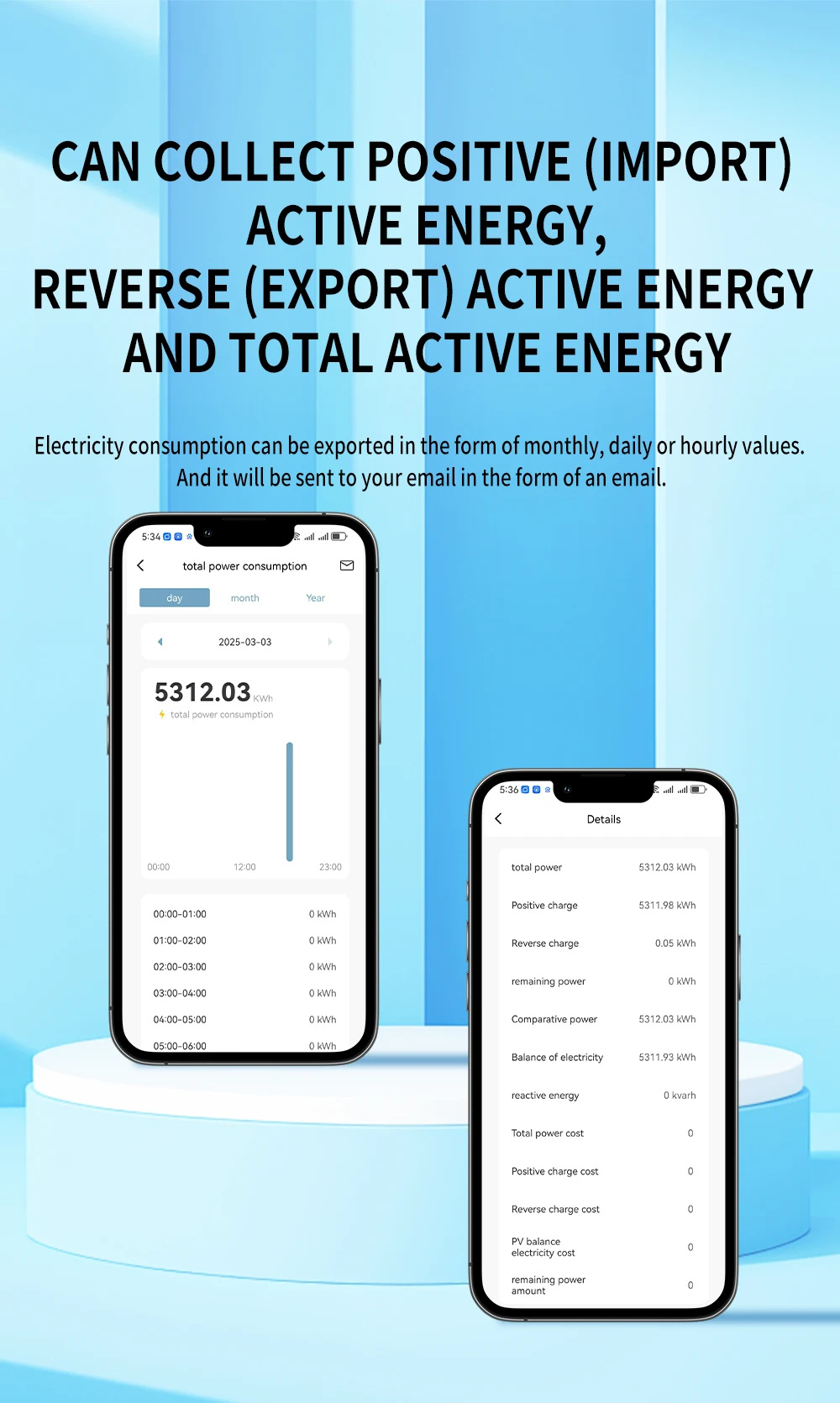
The app can display supported voltage, current, power and kWh readings. Compatible bidirectional meters provide import active energy, export active energy and total active energy. Available data and controls depend on the connected meter. The illustrated compatible meter families include DDS238-1, DDS238-2 and DTS238-7 RS485 versions.
Remote switching and scheduled operation
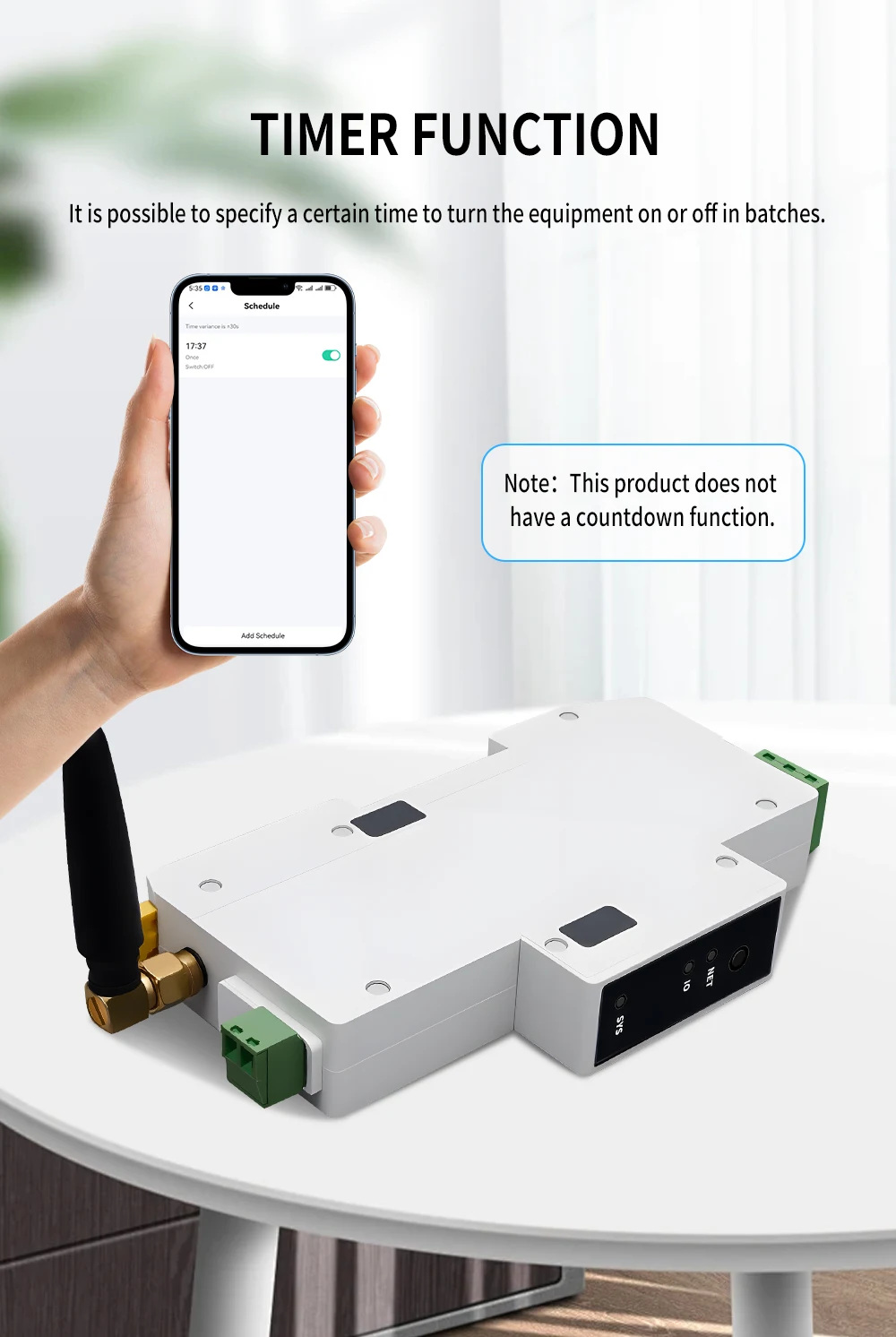
When the connected meter has a controllable relay, the app can switch its output remotely and schedule on/off operation. Set a time to operate equipment individually or in groups. This version provides schedules and does not provide a countdown function.
Energy records and export
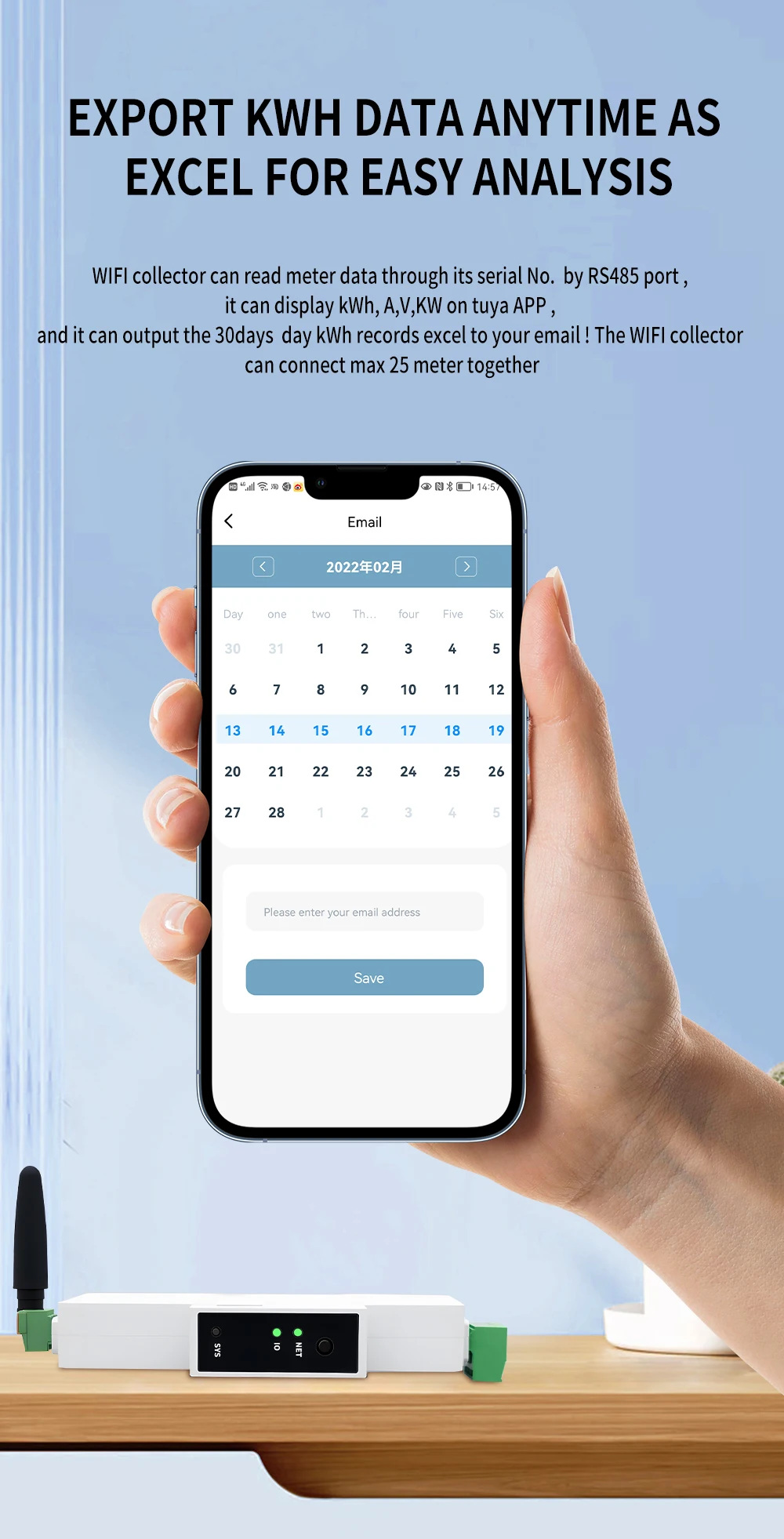
Consumption records can be viewed by day, month or year, with hourly detail where supported. The export interface lets the user select a period and enter an email address to receive an Excel record. The illustrated function supports export of 30 days of daily kWh records.
Indicator states and reset
| NET: not configured | Blue flashes slowly at 1000ms; green off. |
|---|---|
| NET: configuring | Blue flashes rapidly at 200ms; green off. |
| NET: connected | Blue off; green flashes slowly at 1000ms. |
| NET: connection failure | Blue and green off. |
| SYS: fault | Red flashes slowly at 1000ms; blue off. |
| SYS: subdevice network loss | Red flashes rapidly at 200ms; blue off. |
| SYS: multiple faults | Red continuously on; blue off. |
| SYS: searching subdevices | Red off; blue flashes rapidly at 200ms. |
| IO | Green off without subdevices/communication; green flashes during subdevice communication. |
Hold the key for five seconds to unbind the collector. Hold it for ten seconds to unbind and clear the device. After a reset, repeat network setup and add the required meters.
Installation and applications
DIN-rail installation supports energy-meter monitoring in distribution boards and equipment panels. Use compatible RS485 meter versions and keep the bus polarity consistent. Install and service the collector and meter wiring with the circuit safely isolated, and operate within the specified supply and temperature range.
